The phrase private gaming tracker iphone can describe three different needs: keeping a game library, measuring playtime, or recording gaming patterns while trying to cut down.
If you only want to know how long you use games on your iPhone, start with Screen Time. If you want a catalogue, choose a library tracker after checking its account, sync, and community features. If you want to change how much you play, use a private behaviour log that records cues, urges, and session boundaries rather than only titles and completion percentages.
Choose the tracker that matches your question
Products called gaming trackers do different jobs:
| Type | Main purpose | Privacy question |
|---|---|---|
| Library or backlog tracker | Catalogue games, wishlists, status, and completion | Is the library local, cloud-synced, account-linked, or public? |
| Platform tracker | Import playtime, achievements, and recently played games | Which gaming accounts must be connected, and what profile information is visible? |
| Screen Time | Report use of apps and websites on Apple devices | Is activity shared across your devices or managed through a Child Account? |
| Private behaviour log | Record urges, cues, start and stop times, and clear days | Are entries transmitted, and can you lock, export, and delete them? |
A library tracker can be private and useful. Some keep data locally or in iCloud, while others add profiles, followers, reviews, or linked gaming accounts. Do not assume that every collection app is social, or that every “private” app stays entirely on one device.
The deciding question is what you want to learn. A completion list helps organise a collection. It does not explain why a planned 30-minute session continued past midnight.
Start with Screen Time for iPhone playtime
Screen Time can report how long you use individual apps and websites without installing another tracker. In current iOS documentation, you can open Settings > Screen Time > Daily Average and switch between daily and weekly summaries. Menu wording may differ on older iOS versions.
This is a useful first option when the question is simply, “How many hours did I spend in this iPhone game?” It has limits:
- it does not record why a session started,
- it cannot capture gaming on an unrelated console or PC,
- it may combine activity across Apple devices when Share Across Devices is enabled,
- it does not distinguish planned play from a session you wanted to avoid.
Family visibility needs careful wording. A family organiser or parent or guardian can manage Screen Time for a Child Account through Family Sharing. That does not mean ordinary adult family members automatically receive one another’s complete Screen Time reports.
Check what your gaming platforms reveal
A private journal does not change the settings on Game Center, Steam, or another gaming service.
Game Center. Apple states that a Game Center nickname, avatar, scores, and Arcade subscription state are visible to all Game Center users for games with global leaderboards. Activity Sharing controls who can see information such as recently played games and achievement progress. Nearby Players can reveal your nickname and avatar to people using the same supported multiplayer game over a local network or Bluetooth. Share Friends List separately controls whether games can ask to connect you with Game Center friends.
Apple also says that, while you are signed in, it collects information including the games you play, when you play them, and who you play with. That information is associated with your Apple Account and retained while you maintain the account.
Review the current options under Settings > Game Center, including activity sharing, Nearby Players, Help Friends Find You, and Share Friends List.
Steam. Valve documents three profile privacy states: Public, Friends Only, and Private. Each has additional subcategories. Review them through your Steam profile’s Edit Profile > Privacy Settings page rather than assuming that a private habit log hides Steam activity.
Define what private means in your situation
Test the risks that actually matter to you:
- Does the app require an email address, phone number, or account?
- Does it connect to Game Center, Steam, PlayStation, Xbox, or a social profile?
- Are entries stored locally, synced through iCloud, or sent to the developer?
- Does it include analytics, advertising, a public profile, or a friends feed?
- Can you delete one entry and the entire record yourself?
- Can you export without contacting support?
- Is there an app lock using Face ID or the device passcode?
- Could a notification or Live Activity reveal the app on the Lock Screen?
On-device storage closes one route. It does not protect an unlocked or shared phone, an export saved in a shared folder, or a visible notification preview.
Verify privacy claims before trusting them
Use the App Store disclosure and App Privacy Report together.
Apple says App Store privacy information is self-reported by the developer. The label distinguishes data linked to you from data used to track you across other companies’ apps, websites, or offline properties. Read the privacy policy as well because optional accounts, sync, or social features may change how data is handled.
On iOS 15.2 or later, turn on Settings > Privacy & Security > App Privacy Report before testing an app. Apple says the report begins collecting only after activation, keeps its data encrypted on the device, and shows recent access to sensitive data and domains contacted during the past seven days.
A domain contact does not prove that a gaming entry was uploaded. Opening help content or loading an embedded page can also contact a domain. Conversely, Apple notes that an app may access data locally without the developer collecting it. Treat the report as evidence to investigate, not a complete audit.
Log the decision point, not only total hours
If you are trying to reduce gaming, record where the session became likely:
- day and time,
- what had just finished,
- the cue, such as a party invite or launcher notification,
- urge strength on one consistent personal scale,
- intended and actual stop times,
- what happened afterward.
For example: “Wednesday, 10:40pm; finished dinner; party invite; urge 7/10; planned to stop at 11pm, stopped at 1:20am.”
Another entry might be: “Sunday, 3pm; empty afternoon; urge 4/10; played two rounds and stopped as planned.”
Those sessions need different responses. Review several entries together with the method in how to identify your craving triggers and difficult times. If the full evening schedule is the problem, use the guide to changing the hours around gaming.
Where Hard Bit fits
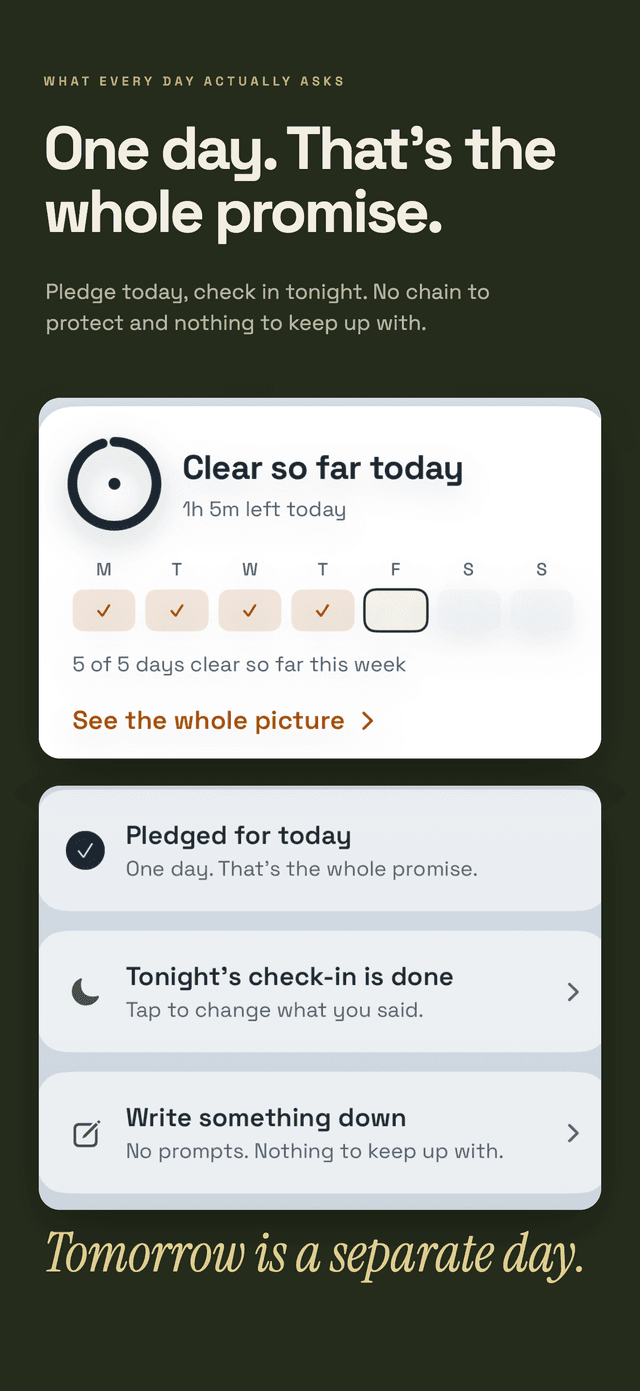
Hard Bit is an iPhone craving tracker, not a game-library manager, automatic playtime reader, or blocker. Selecting gaming changes its prompts to hours rather than money. Each habit has separate logs, a counter, a reason for changing, and a difficult-hour pattern.
The current product documentation says Hard Bit needs no account, has no social feed, advertising, or third-party analytics, and stores entered information on the device. Its optional app lock uses iOS authentication. It does not import Game Center, Steam, console, or Screen Time activity, so entries are manual and nothing is posted back to those services.
The counter, logging, journal, hard-moment flow, milestones, help links, export, and deletion are free. A subscription adds the on-device forecast and warning, patterns and calendar, widgets, and short reads. The forecast makes no prediction below five entries and relies fully on personal history at around twenty. These are product rules, not a clinical prediction.
The Hard Bit overview explains the workflow. Hard Bit support documents the app lock, export, deletion, forecast, and free and subscription boundaries.
Know what a tracker cannot assess
A log can describe entries. It cannot diagnose gaming disorder or decide what treatment someone needs.
WHO defines gaming disorder in ICD-11 through impaired control over gaming, increasing priority given to gaming over other activities, and continuation or escalation despite negative consequences. The pattern must cause significant impairment and would normally have been evident for at least 12 months. WHO also says studies suggest that gaming disorder affects only a small proportion of people who game. Hours alone are not a diagnosis.
Seek qualified support if gaming persistently displaces sleep, food, hygiene, study, work, essential spending, or relationships, or if attempts to change repeatedly feel unmanageable.
In England, the National Centre for Gaming Disorders supports people aged 13 and over and accepts self-referrals as well as referrals from family members and professionals. Its treatment focuses on greater control over gaming and increasing other activities. It is not a crisis service. If anyone is in immediate danger, contact emergency or local crisis services. Outside England, start with a doctor or local mental health service.
Our editorial policy explains how health guidance and product information are reviewed. More privacy and planning articles are available in the Hard Bit guide library.
Frequently asked questions
Is Screen Time the most private way to track gaming?
It avoids installing another tracker and may be enough for iPhone app hours. Its privacy still depends on device access, your Apple Account settings, Share Across Devices, and whether the phone belongs to a managed Child Account. It also lacks cues, urges, and planned stop times.
Can I hide all Game Center activity from friends?
You can restrict Activity Sharing and turn off settings such as Nearby Players and Share Friends List. Apple nevertheless says that a nickname, avatar, scores, and Arcade subscription state are visible to all Game Center users for games with global leaderboards.
Does no account mean that nothing leaves the phone?
No. An app can work without registration and still contact analytics, advertising, support, or other services. Check the App Store privacy label, privacy policy, and App Privacy Report.
Is a private gaming tracker enough to help me play less?
Not on its own. A tracker can reveal a repeated hour, cue, or session boundary. Pair that information with a concrete access change, a realistic plan for the freed time, and qualified support when gaming is causing serious or persistent harm.